

Subscriber Growth Report
1 Data Engineer
2 Sr. Product Designers
Team
Industry
B2B, Digital Marketing
Length
January - June 2025
Role
Product Design Co-op
Overview
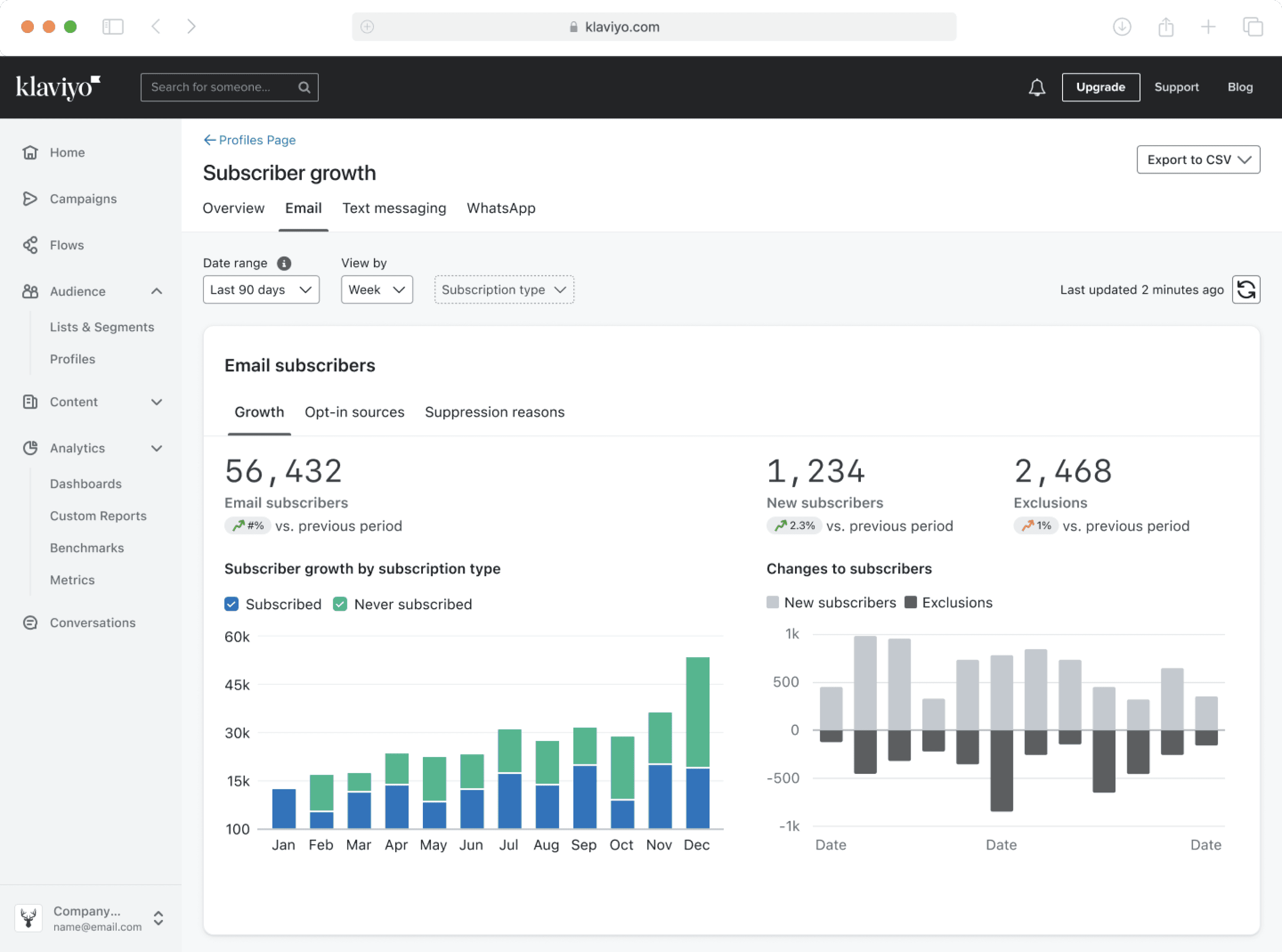
My task was to redesign one of Klaviyo's most viewed reports, the Subscriber Growth Report for scale, finding the best way to display audience performance data for 8+ communication channels.
Designing for today’s audience performance data, building for tomorrow’s communication channel scale.

Effortless navigation between reports for different channels
Tabs for quick access
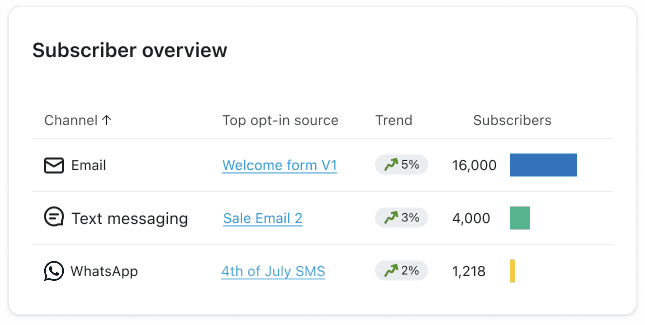
A single, centralized view of performance across all channels
Cross-channel overview
Providing granular data for deeper insights of your audience
Subscriber type filters
HERE’S THE GOOD NEWS
Klaviyo now supports up to 8 different communication channels




HERE’S THE PROBLEM
The current Subscriber Growth Report can only handle 2 channels.
Marketers will need quick navigation between channel reports. The single, scrollable page is overwhelming.
Marketers will need quick navigation between channel reports. The single, scrollable page
is overwhelming.
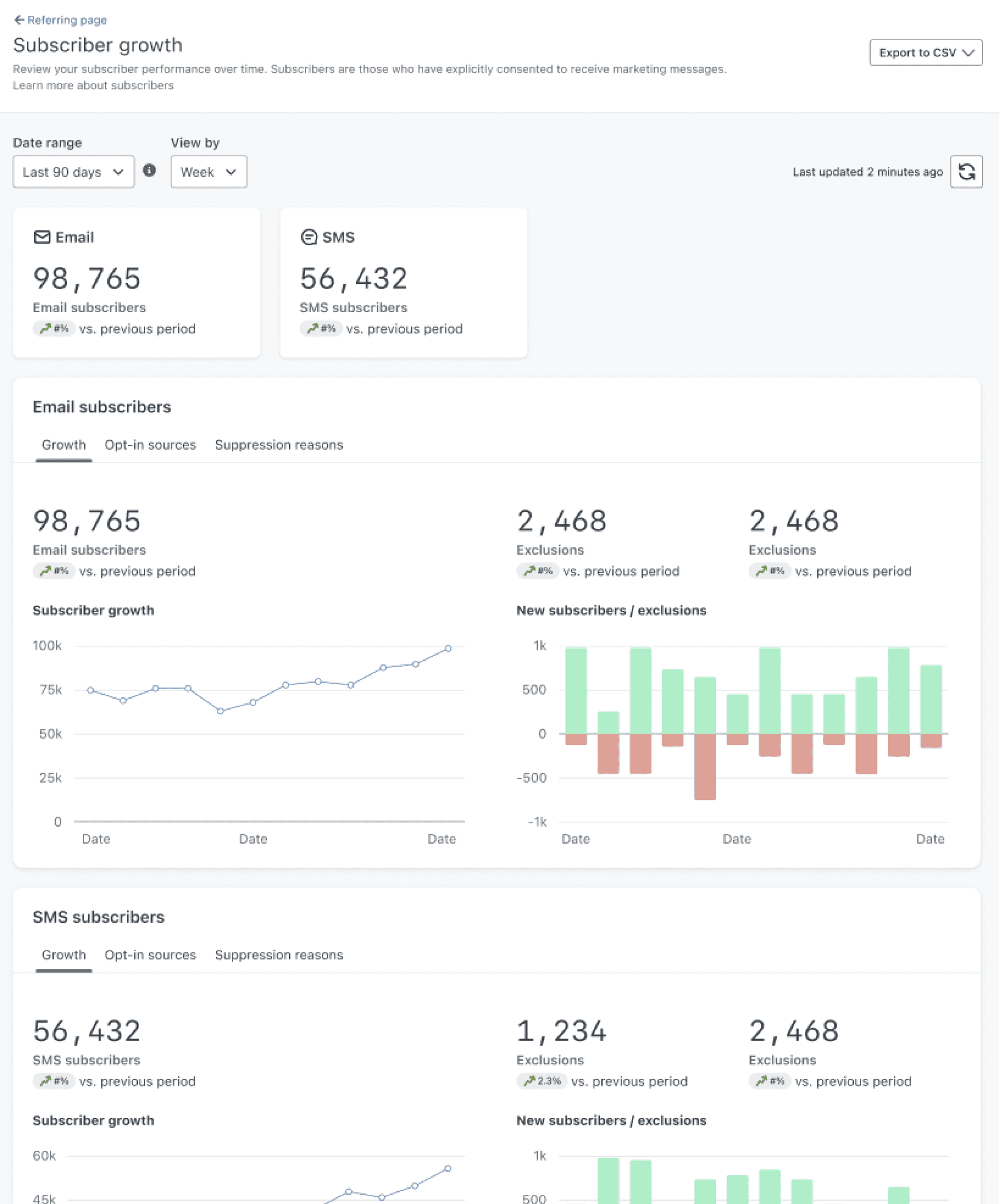

Turns into a carousel, which would hide most metrics.
Turns into a carousel, which would hide most metrics.
Metrics,
horizontal scrolling
Metrics,
horizontal scrolling
Reports have a height of 600px. With 8 reports, this is 4800px of scrolling.
Reports have a height of 600px. With 8 reports, this is 4800px of scrolling.
Reports,
vertical scrolling
Reports,
vertical scrolling
THE GOAL
Redesign the subscriber growth report to effectively display reports for an increasing number of channels
... but research presented even more opportunities
... but research presented even more opportunities
UX RESEARCH OUTCOMES
In addition to accommodating 8+ channels, the Subscriber Growth Report could

Encourage marketers to focus on one channel audience at a time

Provide a more granular breakdown of a channel’s audience

Show cross-channel insights to understand overall performance

“I get overwhelmed by seeing multiple reports at once, which makes it hard to determine what needs attention.”
“I know I have 3,000 text messaging subscribers, but how many of them opted in transactional-only?”
“I want to compare performance between all my channels. Is there overlap between channel audiences?”
IDEATION PT 1: TABS
The best option to replace scrolling? Tabs!
Based on the defined need to encourage marketers to view their channels one report at a time, the implementation of tabs became the immediate solution

Quick, predictable way to switch between reports
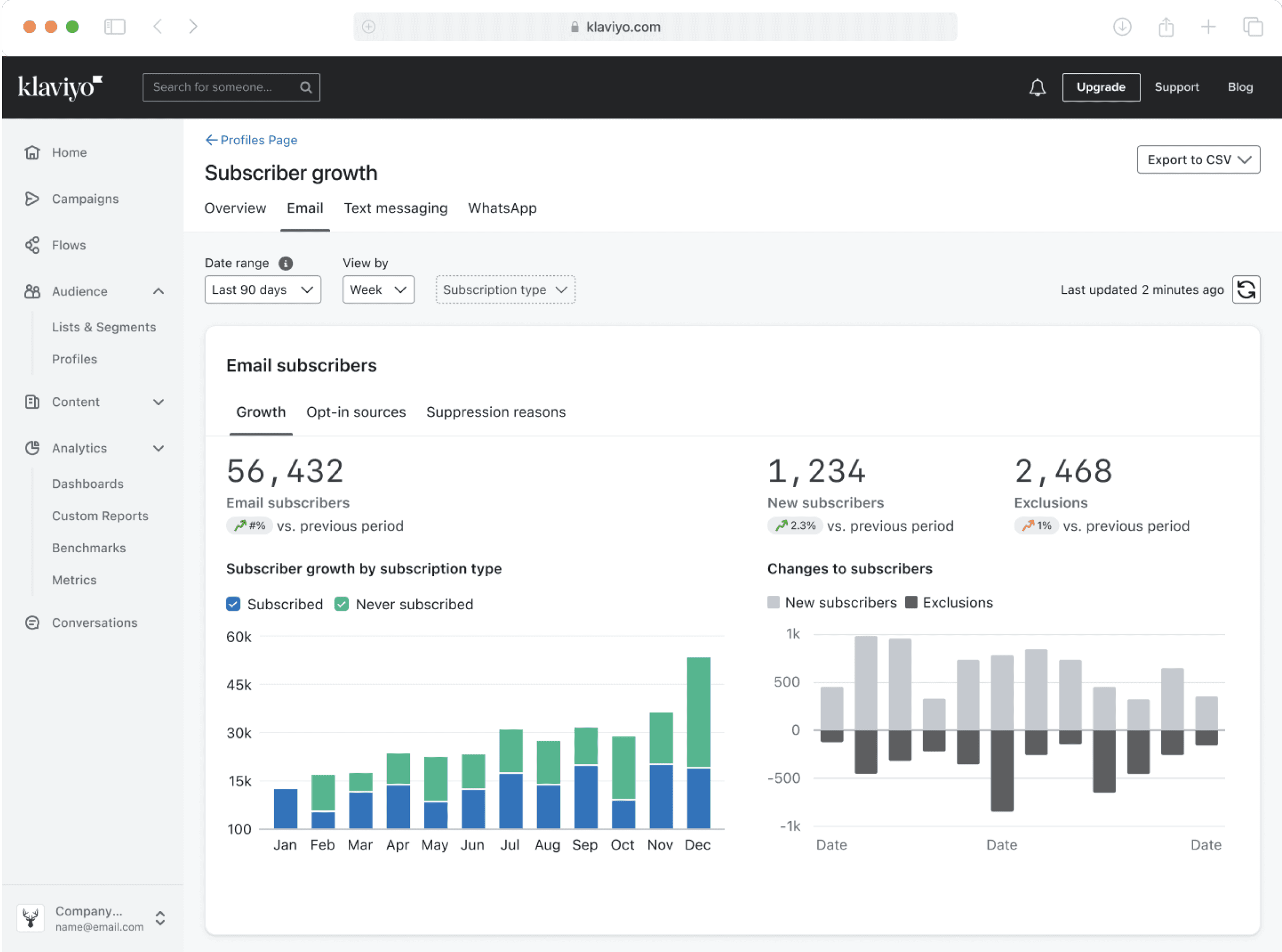
Allows each report to live in its own space
IDEATION PT 2: OVERVIEW TAB
What’s the best way to quickly compare channel performance?
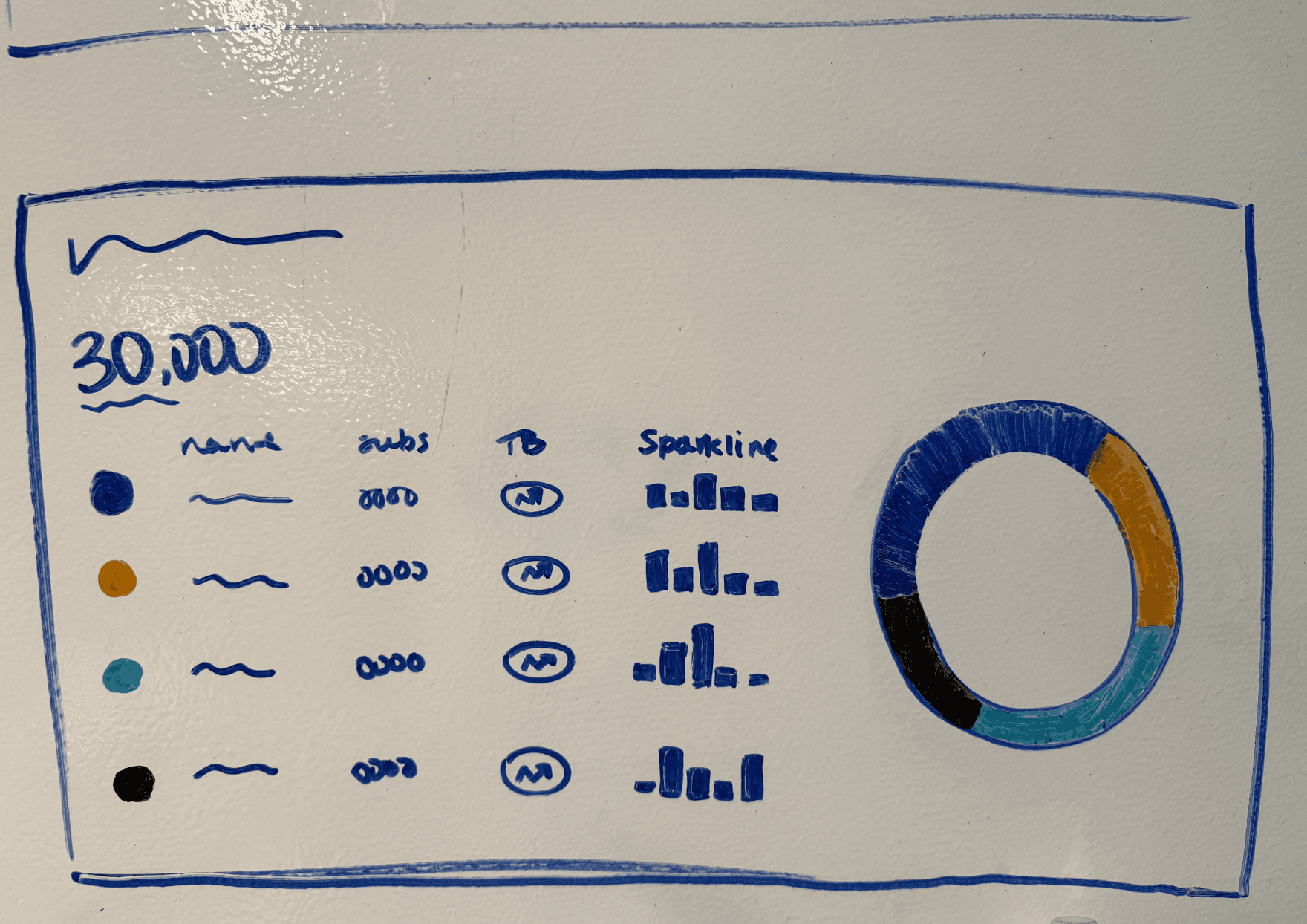
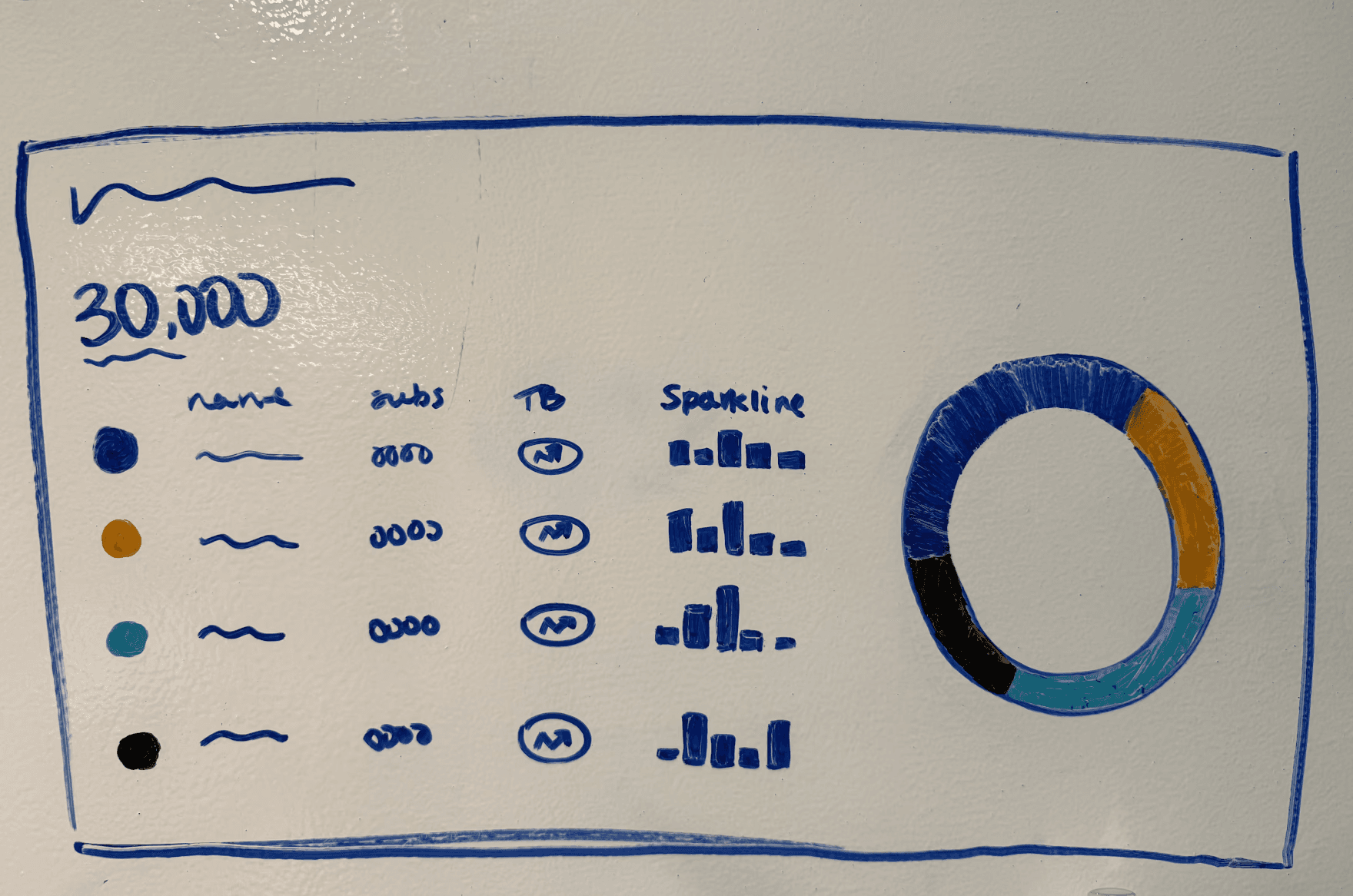

Visualizing more than 8 data values
Visualizing more than 8 data values
Hard to accurately perceive proportions
Hard to accurately perceive proportions
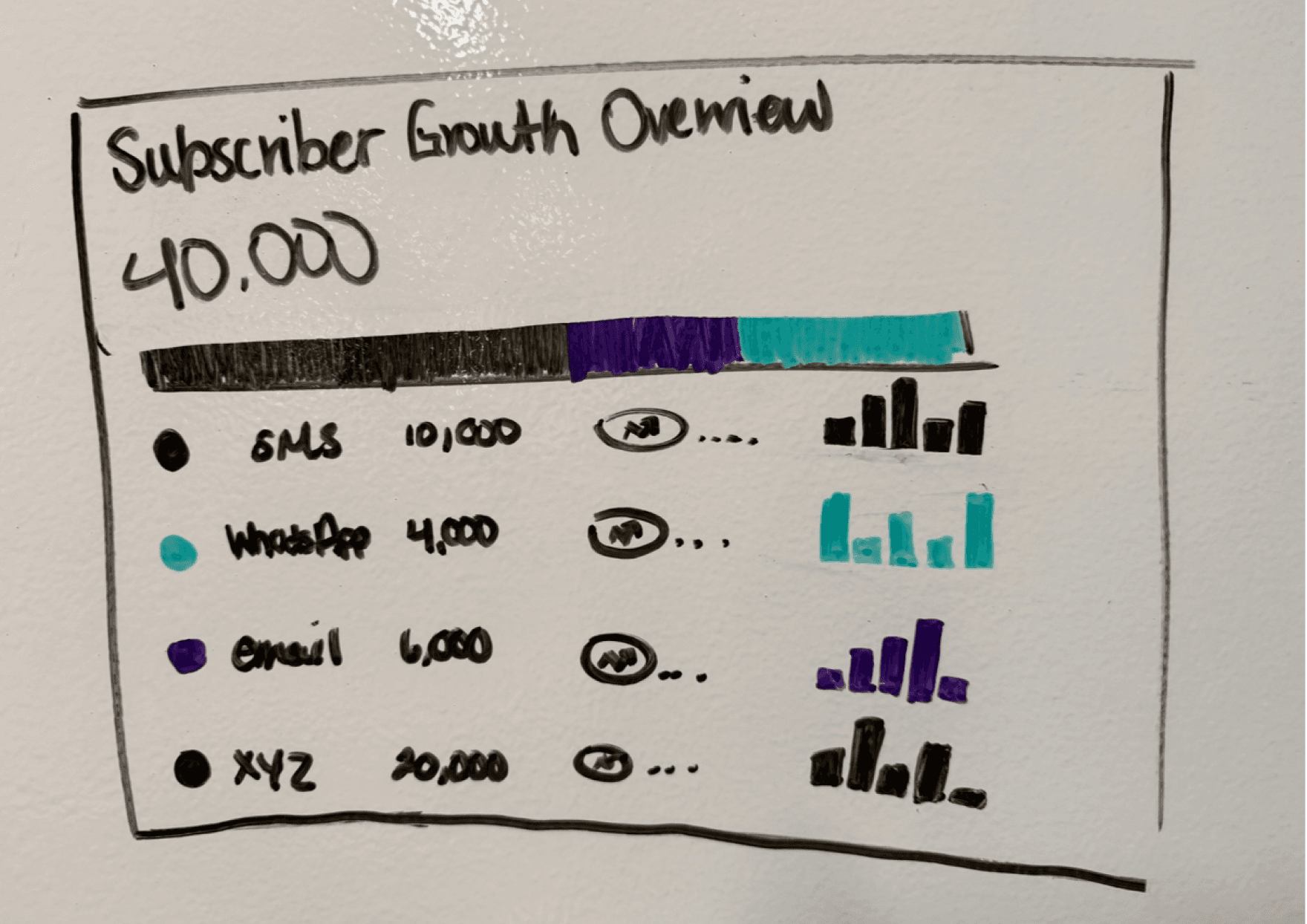
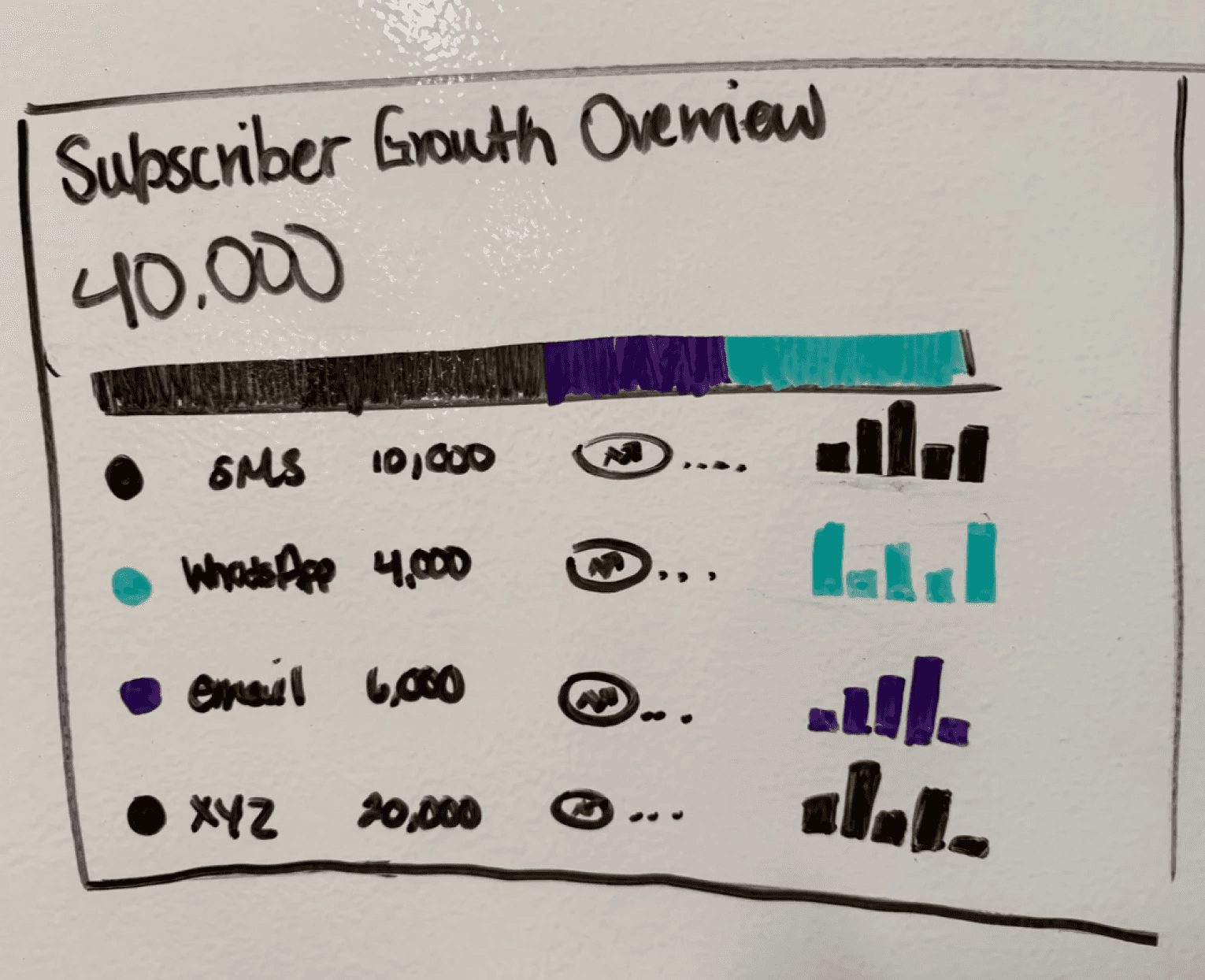

Visualizing 8+ data values
Visualizing 8+ data values
Better part-to-whole perception
Better part-to-whole perception
Donut chart vs. Segmented bar chart
After speaking with engineering, a new challenge was presented
It’s not possible to calculate a “total” subscriber count
Considering there is overlap of subscribers across different channels (1 person can be subscribed to both email and WhatsApp), engineering does not have the capability to calculate the number of unique subscribers.
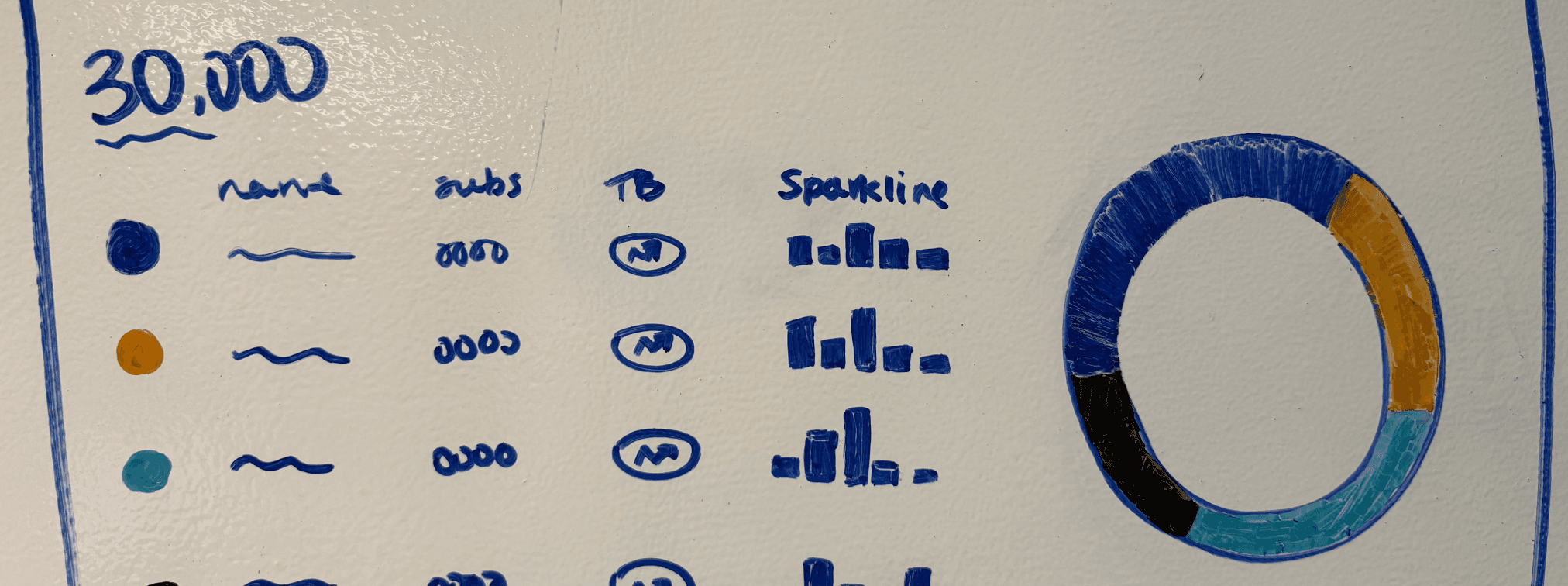
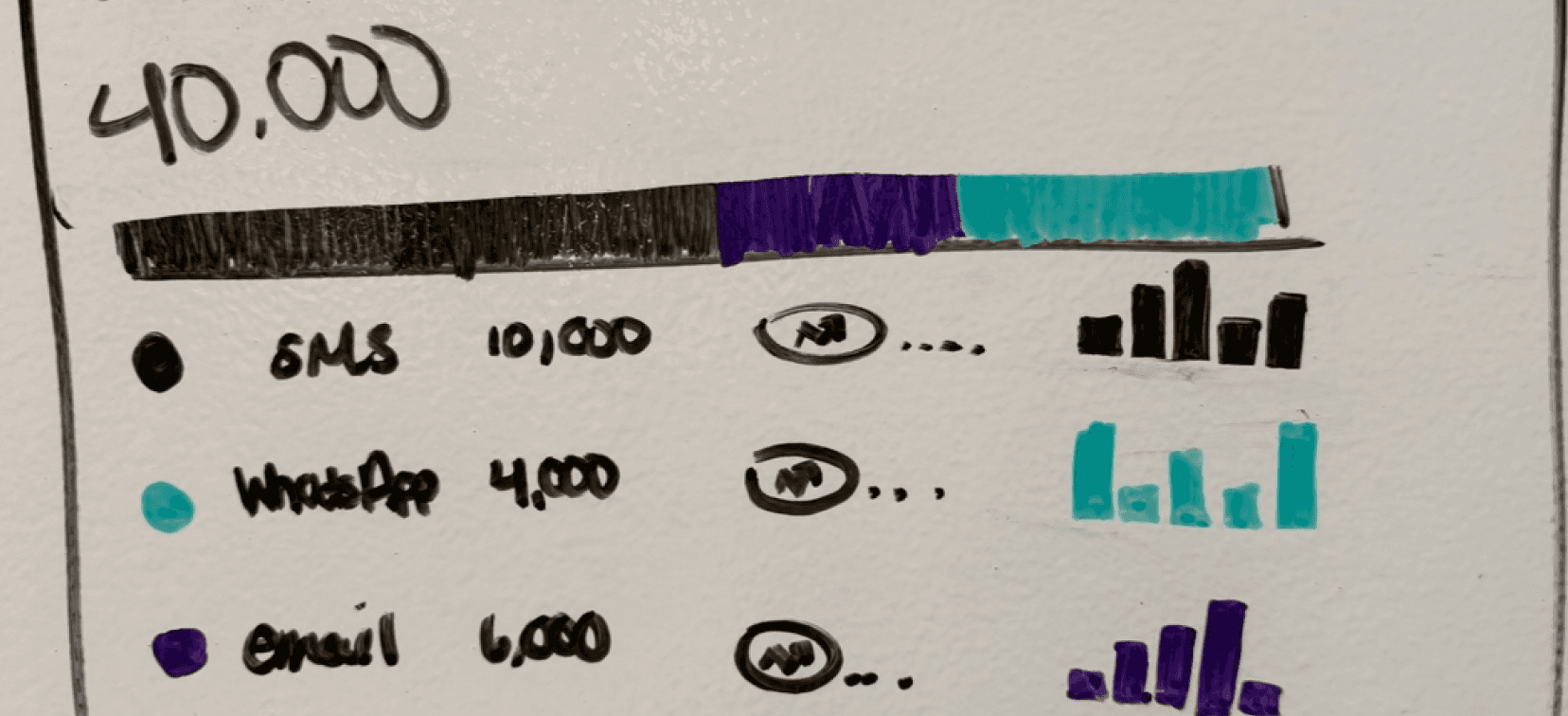
Data visualizations of a whole
are no longer an option
The next best solution
Showing the segments separately
The size of each segment represents the amount of subscribers in a channel. Marketers can glance at these segments and use their proportions to quickly compare performance between channels
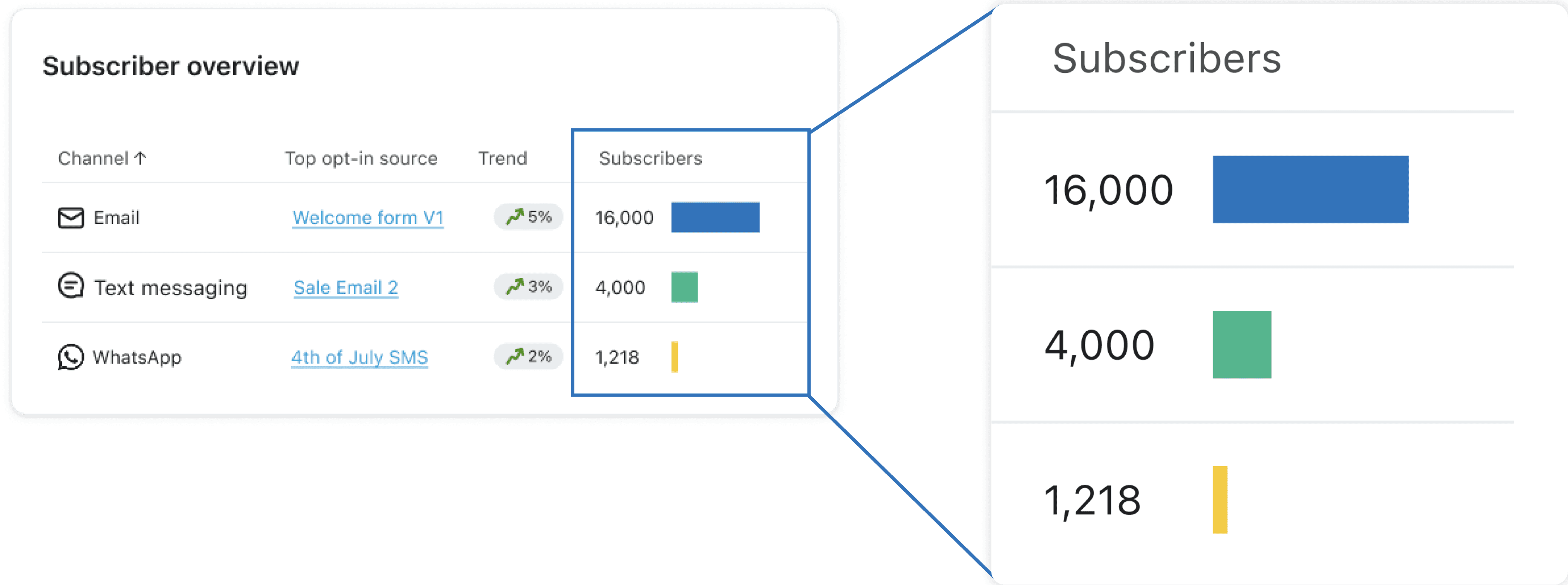
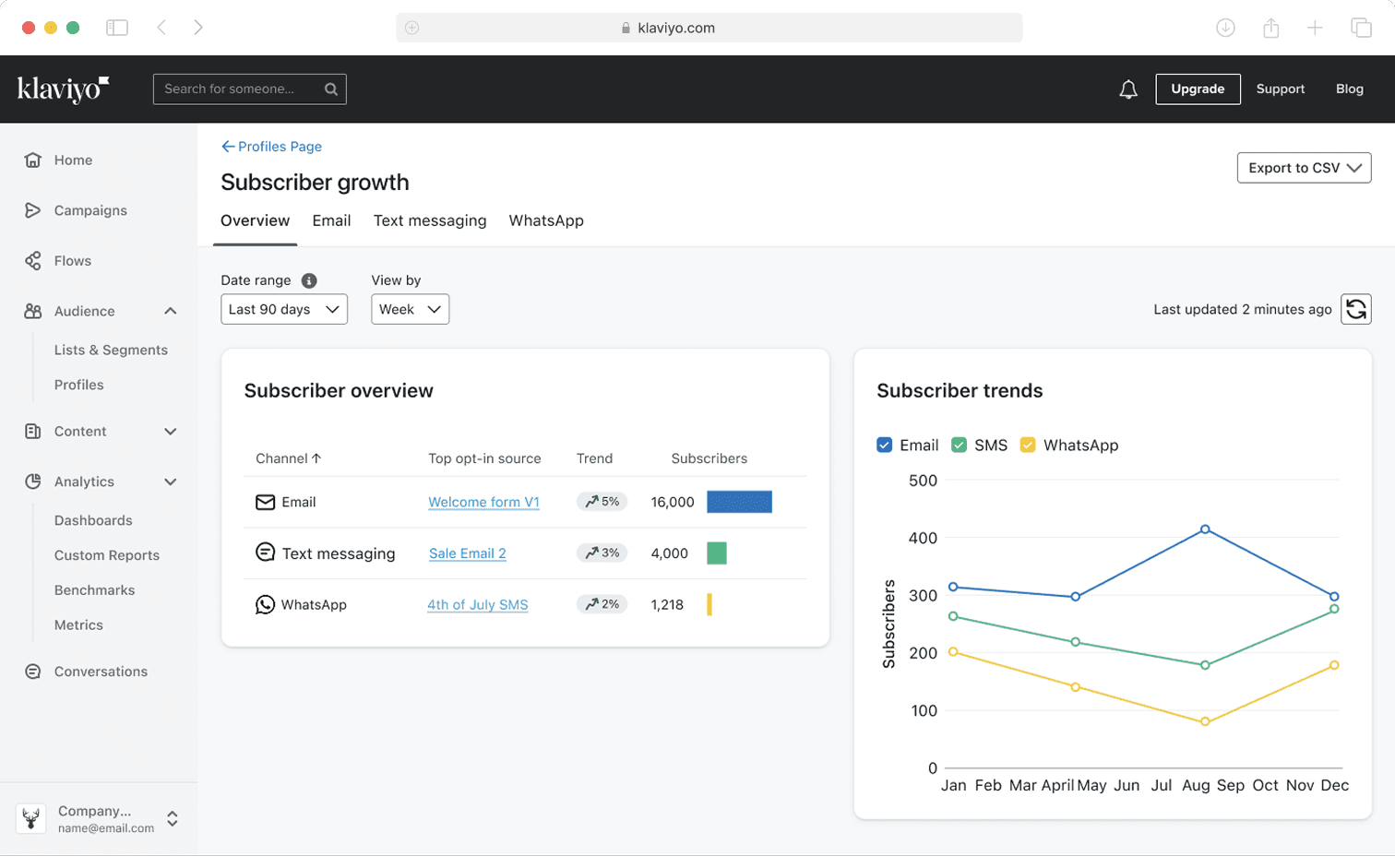
Final Overview Tab
IDEATION PT 3: SUBSCRIBER TYPE FILTER
Marketers want granular audience data- where should the subscriber type filter be placed in the report?
Each report has 2-3 different pages, also sectioned by tabs. This created a conflict for the subscriber type filter.
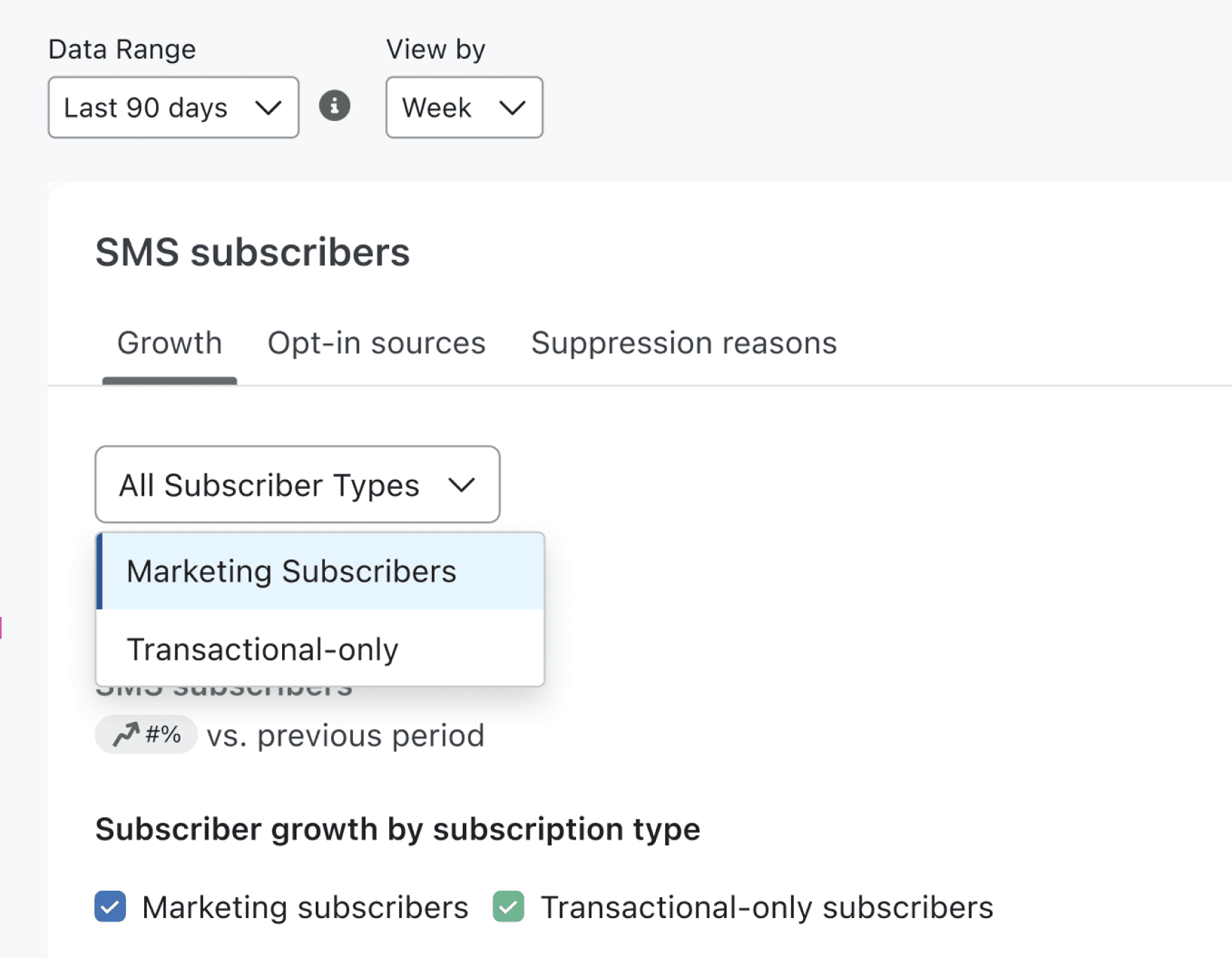
Is the filter applied to the growth tab, or all?
Is the filter applied to the growth tab, or all?
Changing the filter each time a tab changes
Changing the filter each time a tab changes
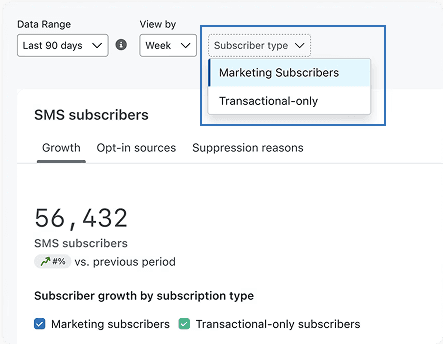
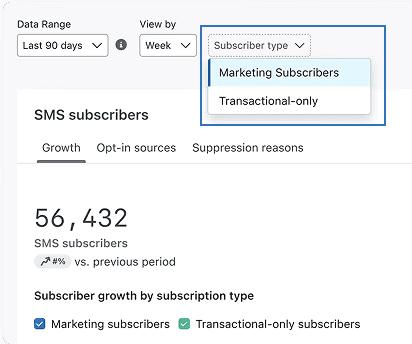
Familiar, aligned with other filters
Familiar, aligned with other filters
Applicable to all tabs
Applicable to all tabs
Tab vs Toolbar level filter
The intuitively placed, tab level filter applied to all tabs, was the best option
The intuitively placed, tab level filter applied to all tabs, was the best option
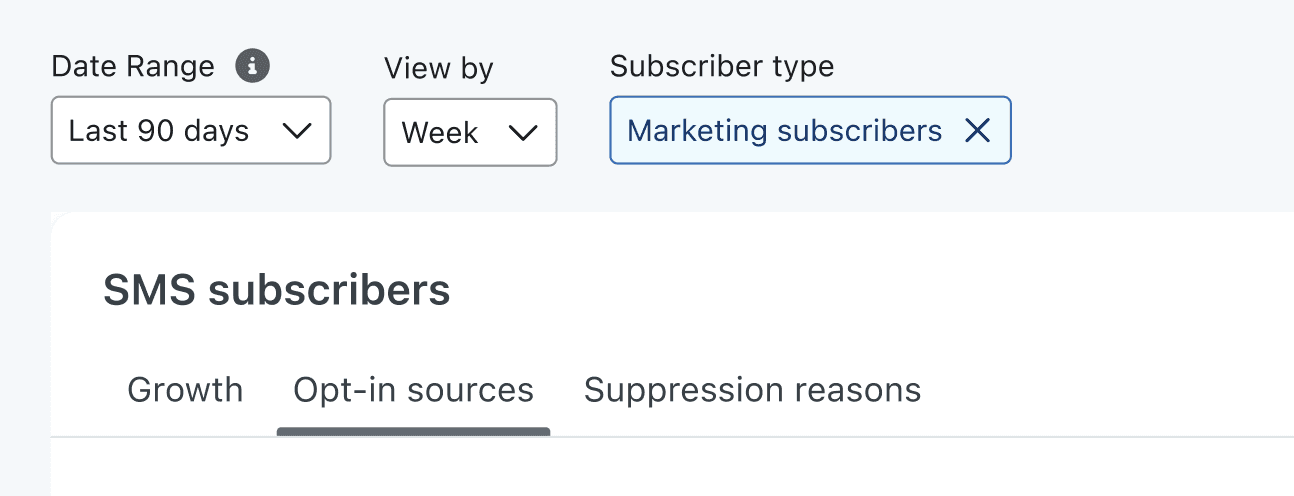

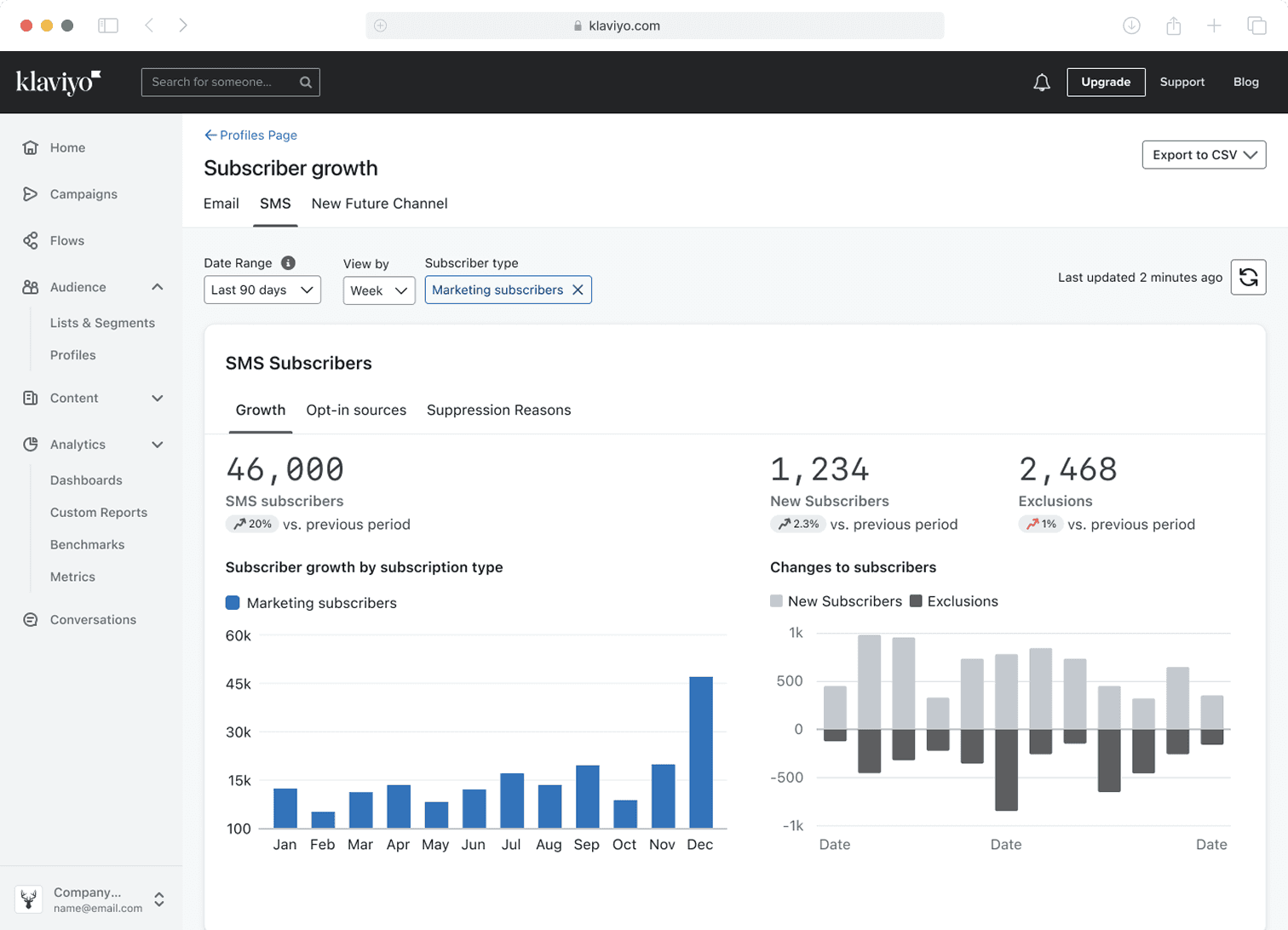
Filtered channel report
My new Subscriber Growth Report has been shipped
The new Subscriber Growth Report has been shipped

Key Takeaways from this experience

Designing with real data makes all the difference

Control scope when possibilities are endless

Simplicity does a better job for users
Some artifacts from my time at Klaviyo!

RIP FigPals :(

The mobile version of
Raaby's portfolio is a work in progress.
Please access this site
on desktop!